Beauty and makeup product photography shaped by packaging, finish, and mood
A beautiful scene still fails when the shade shifts, glass turns flat, or the package stops looking like the product. Start with one clear photo, name the material or finish that matters, and create a visual direction that makes it easier to judge—and easier to want.
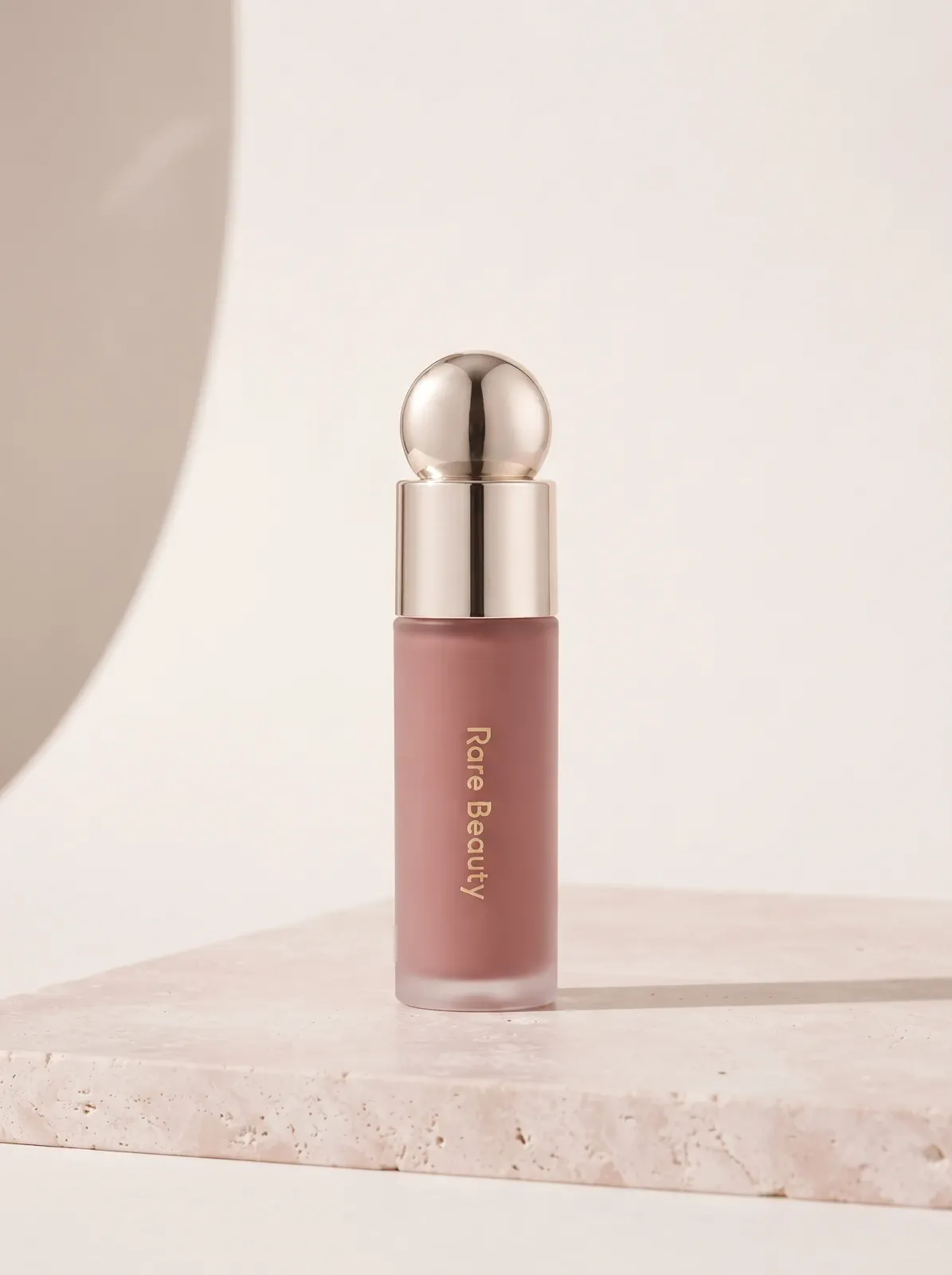
“Warm rose stone, controlled metallic highlights, complete package visible.”
ONE PRODUCT, TWO BRAND MOODS
Change the mood without changing the product
The same shade and package can feel quiet and refined or energetic and campaign-ready. MakeAD changes the surface, light, color field, and copy space while the product remains connected to the source.
MADE WITH MAKEAD
SOFT MINIMAL
Let color and form breathe
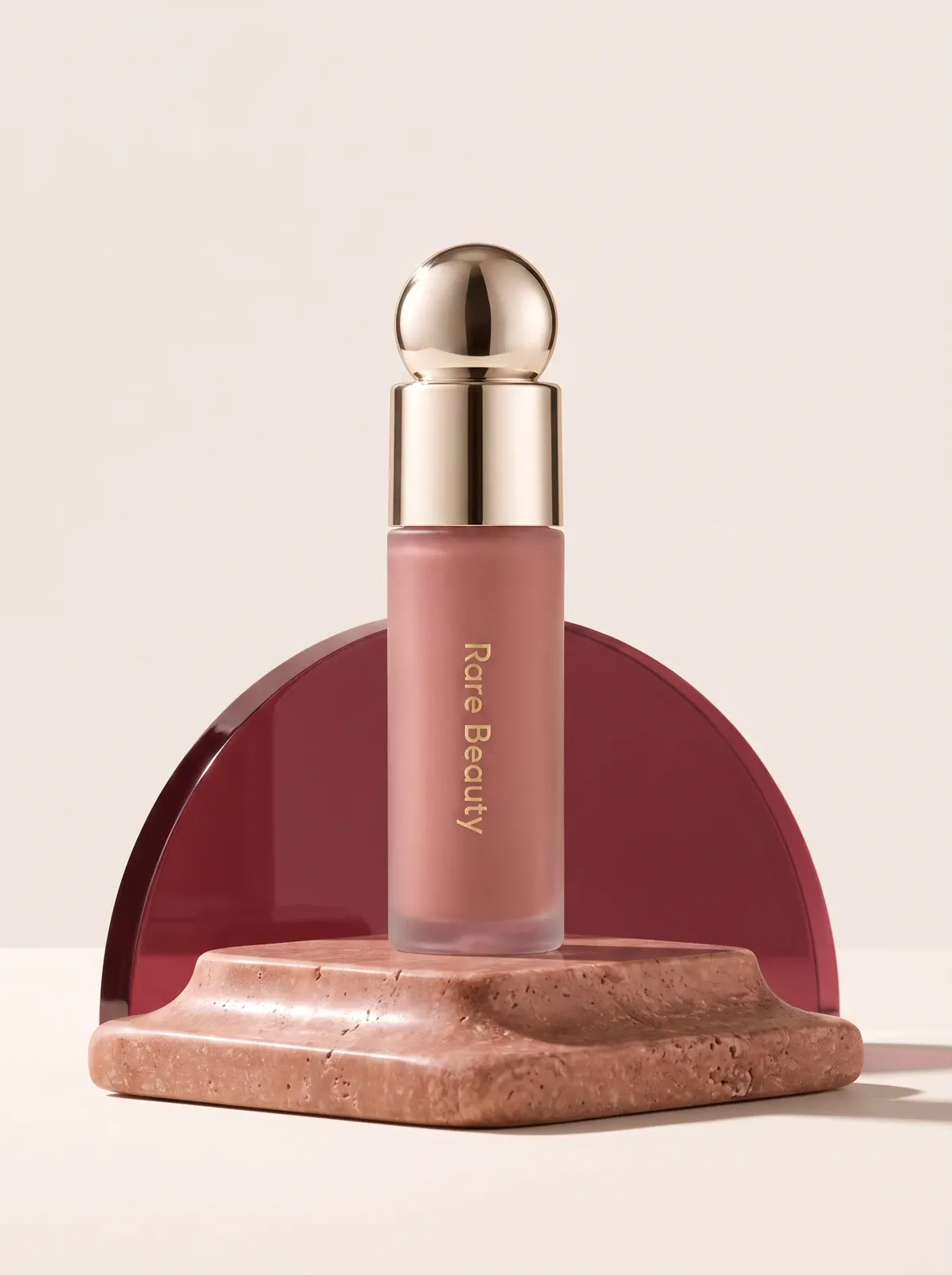
Pale stone, broad daylight, and restrained shadow give the nude-mauve shade room to read without visual noise.
DIRECTION
“Pale blush stone, soft daylight, complete bottle and metallic cap visible.”
MADE WITH MAKEAD
BOLD CAMPAIGN
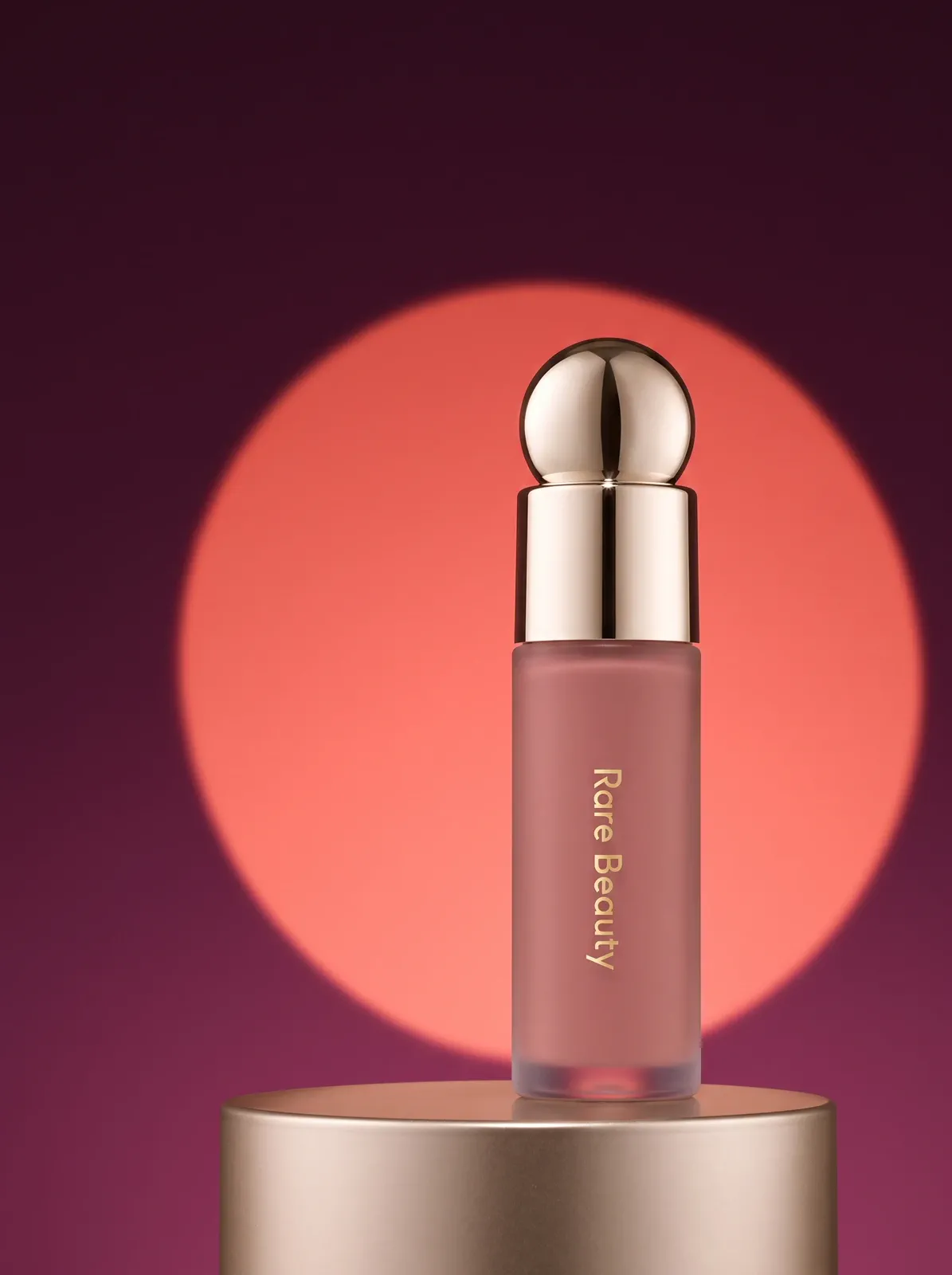
Build energy around the same shade
A deep plum field and coral spotlight create stronger launch energy while the shade, wordmark, and package remain recognizable.
Skincare, cosmetic, and perfume product photography need different proof
A cleanser depends on readable packaging and controlled plastic highlights. A gloss needs its color and reflective finish to feel tangible. A fragrance image has to explain glass, liquid, label, and stopper at the same time.
MADE WITH MAKEAD
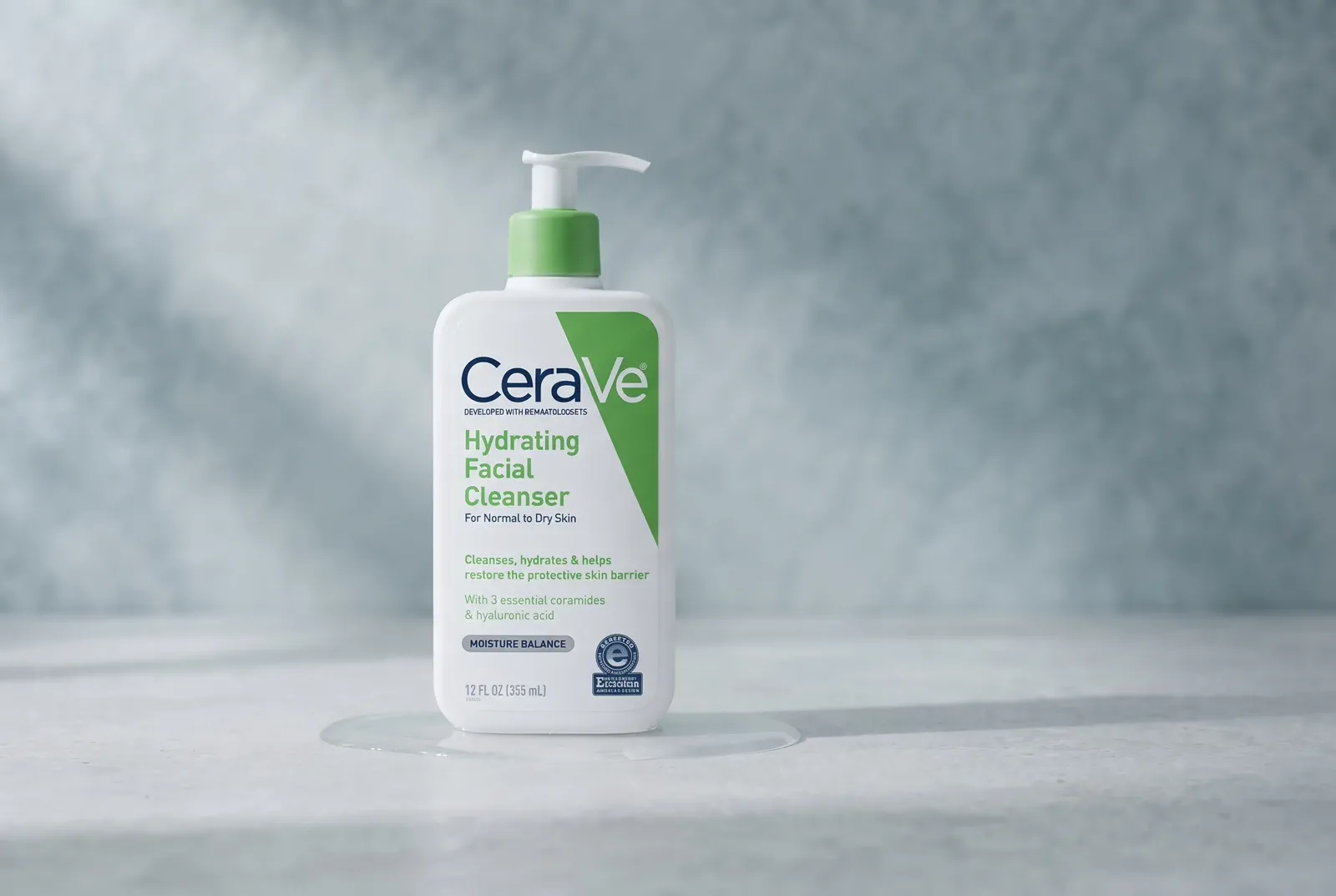
SKINCARE
Keep the package calm and readable
Cool light and a pale mineral setting support a clinical skincare direction while the pump, color blocks, and front hierarchy stay visible.
MADE WITH MAKEAD
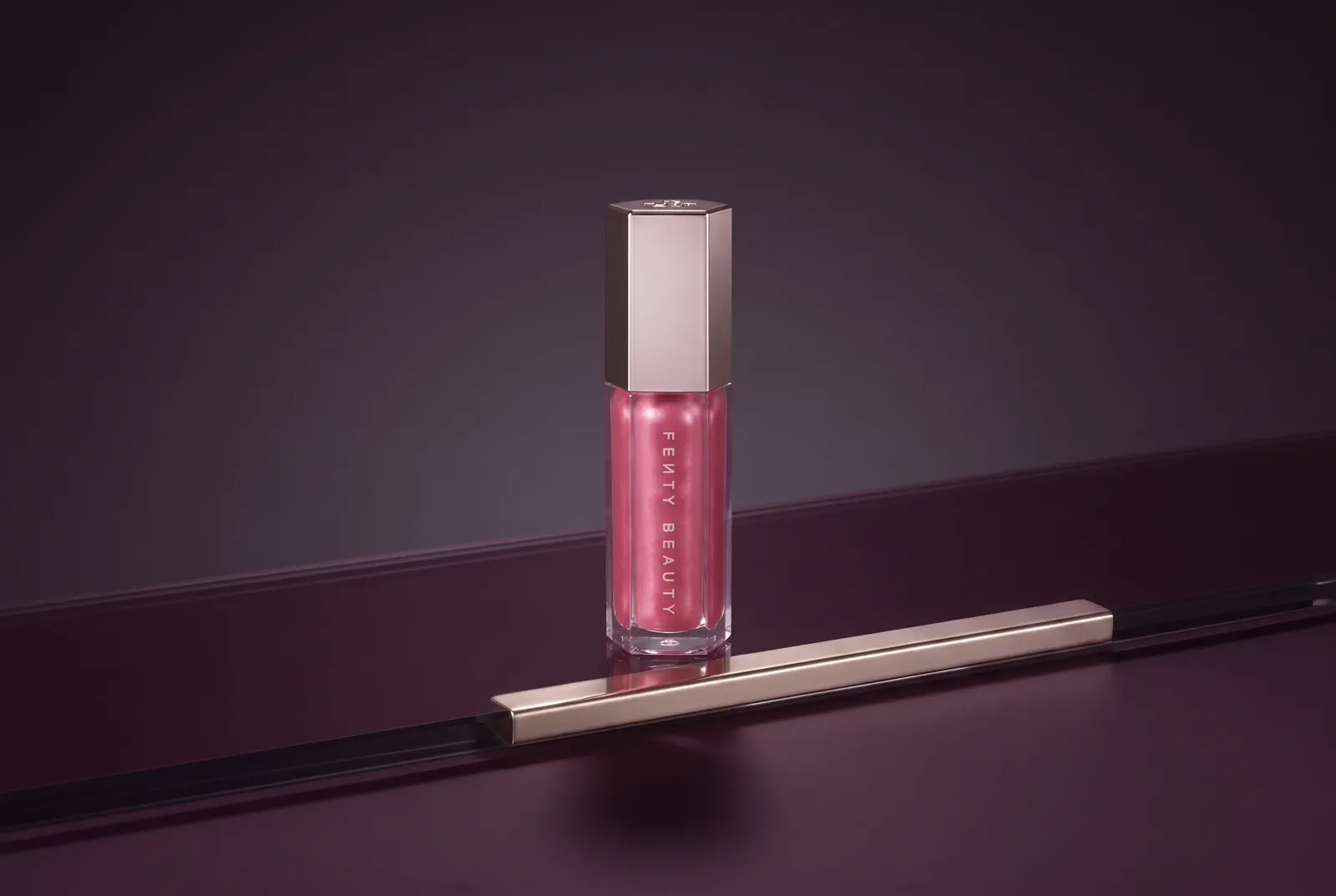
COSMETICS
Make finish and shade feel tangible
A darker reflective surface gives the gloss color, faceted tube, and metallic cap enough contrast to feel polished rather than flat.
MADE WITH MAKEAD
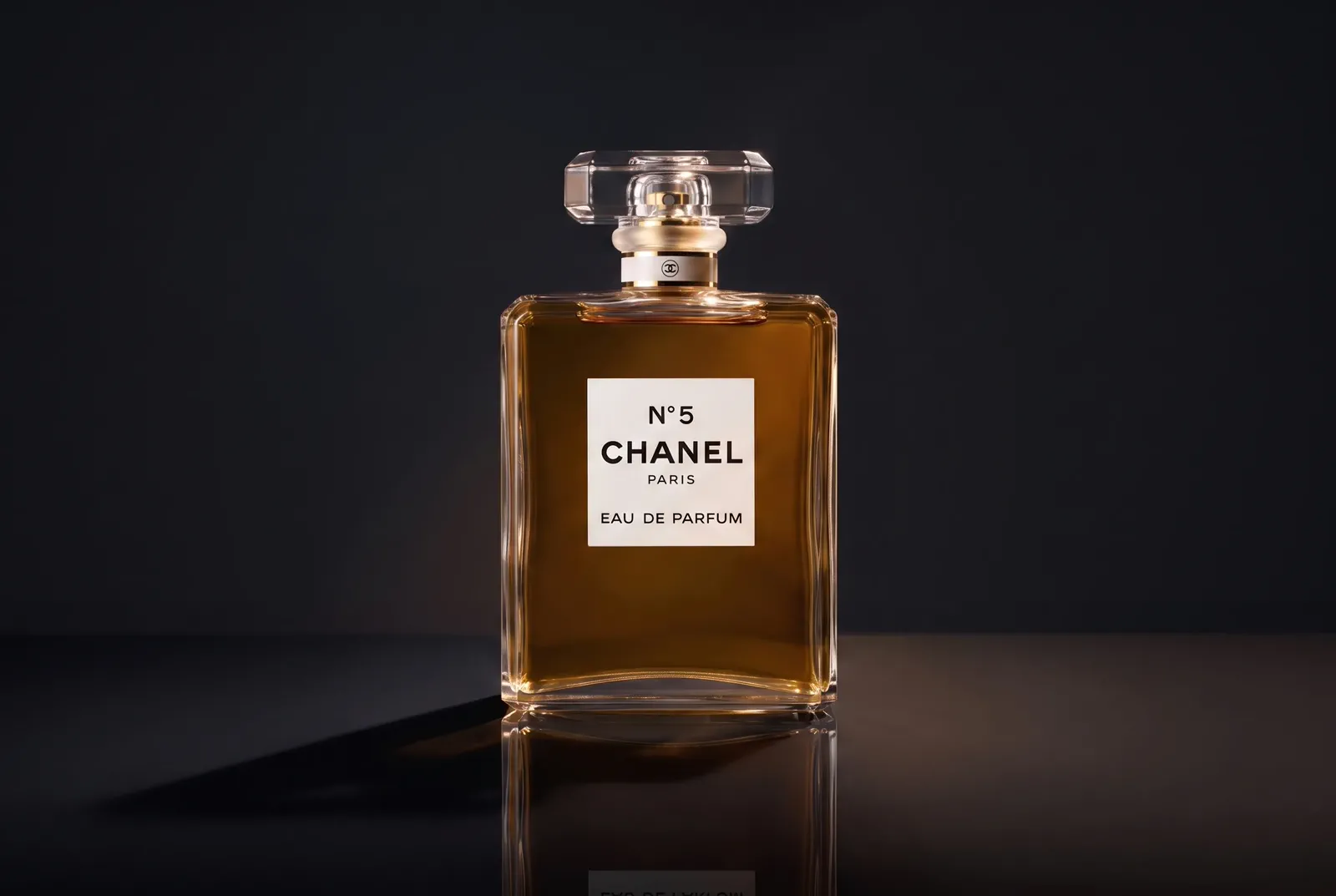
FRAGRANCE
Use light to explain the glass
Warm edge light passes through the bottle, separates the stopper, and keeps the label legible against a dark field.
CUSTOMER EVIDENCE
How beauty teams use MakeAD in real product work
These comments cover live store use, reflective glass, and repeated seasonal production—not just whether one image looked good.
LIVE PRODUCT IMAGES
“The serum shots I made here are the actual main images on our Shopify listings right now. Uploaded the bottle, ran Soft Minimal at 4:5, and those are the exact photos customers see. Nothing got swapped for a "real" shoot later.”
P
Priya_M
MakeAD customer
GLASS AND REFLECTION
“Glass is where these things usually fall apart — fake reflections, wrong transparency. Here the bottle kept its real shape and the way light passes through it looks true to the actual product. The cap color matched too.”
E
Elise_R
MakeAD customer
REPEATED SEASONAL USE
“Coming up on four months. I've pushed past 200 SKUs through it for seasonal refreshes, and every new shade or bundle, it's the first tab I open. That's how the trial quietly turned into an annual plan.”
S
Sofia_D
MakeAD customer
MAKEUP AND COSMETIC SHOTS
Makeup product photography by product type
Lipstick, palettes, foundation, and skincare jars fail in different ways. Start from one sharp photo of each product, then pick the MakeAD tool and settings that protect what shoppers check first: shade, finish, and label.
Lipstick and lip gloss
Shoot the bullet uncapped beside its case so the true shade is visible. Upload it to the AI product photography generator, choose Soft Minimal or Premium Editorial, and name the finish—matte, satin, or shimmer—in your direction. A darker, glossy surface gives metallic cases enough contrast.
Photograph the compact open, from above or a slight angle, so every pan and the mirror edge are visible. For a marketplace main image, run the AI Lighting Editor with Bright marketplace and True-to-product color to even out the pans without restyling the shades.
Glass needs visible edges and a readable label. Cut the bottle out with the Background Remover, then place it with the AI Background Generator on Minimal studio or Premium tabletop. Writing a hex color such as #F3E6DE in the direction sets an exact background tone.
Use Product Staging with Styled tabletop or In use and Natural daylight for a vanity or bathroom-shelf scene. Keep the lid, dropper, or pump fully inside the source frame; anything clipped there has to be guessed.
Zoom to full size and compare with the source. Label text: small ingredient lists and shade names can blur or change, so keep a real photo for the main image if they do. Reflections: a highlight should never cover the brand name or turn clear glass opaque. Shade: compare the bullet, pan, or liquid with the source before using the result.
CREATE IN MAKEAD
Turn one product photo into a beauty direction
Upload the product you already have, describe the setting and material response in ordinary language, choose the output, then compare the result with the source before refining or downloading it.
01 · YOUR PRODUCT
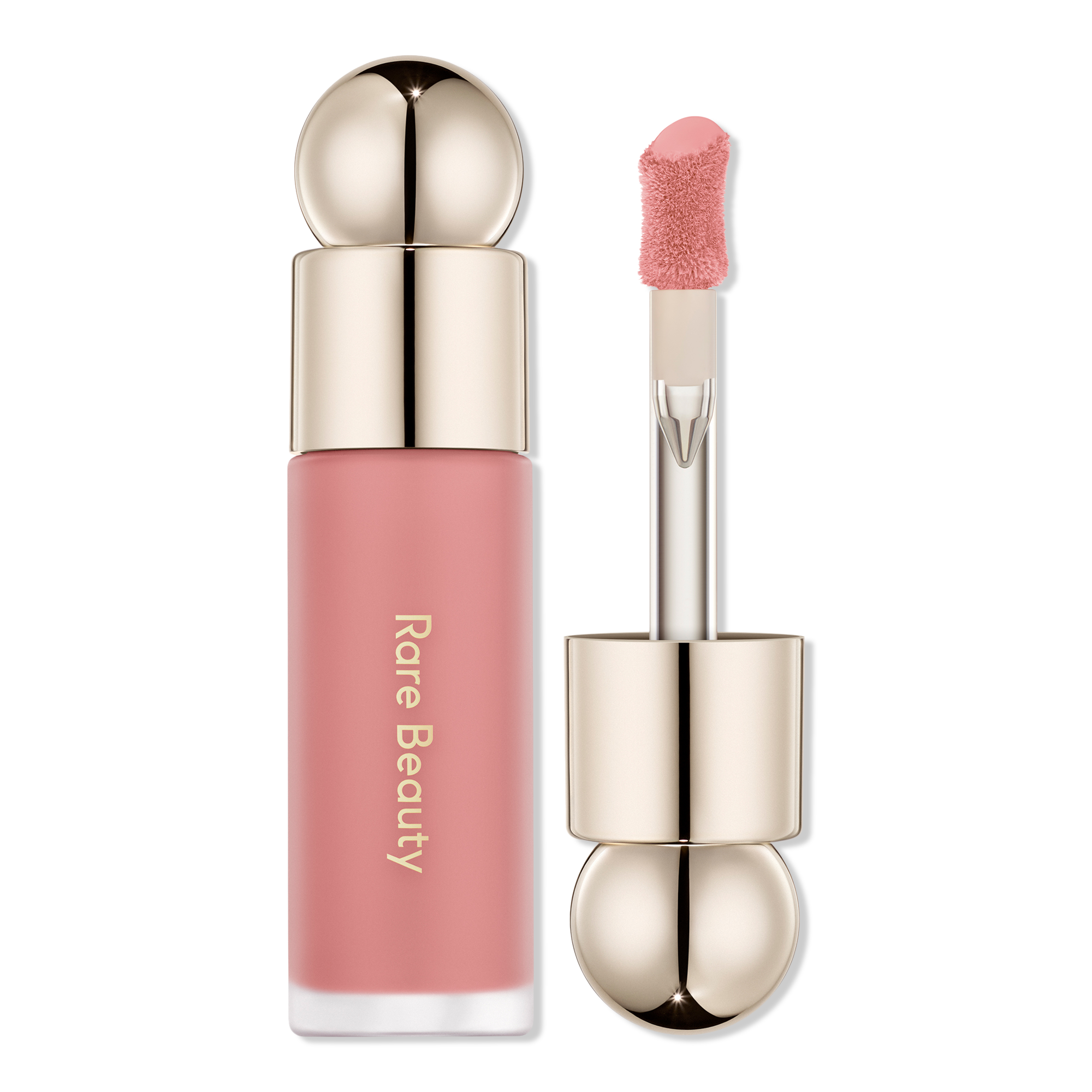
Starting product image
Start with one complete, clear product image that shows the surface that matters.
02 · DESCRIBE THE JOB
Ordinary language is enough
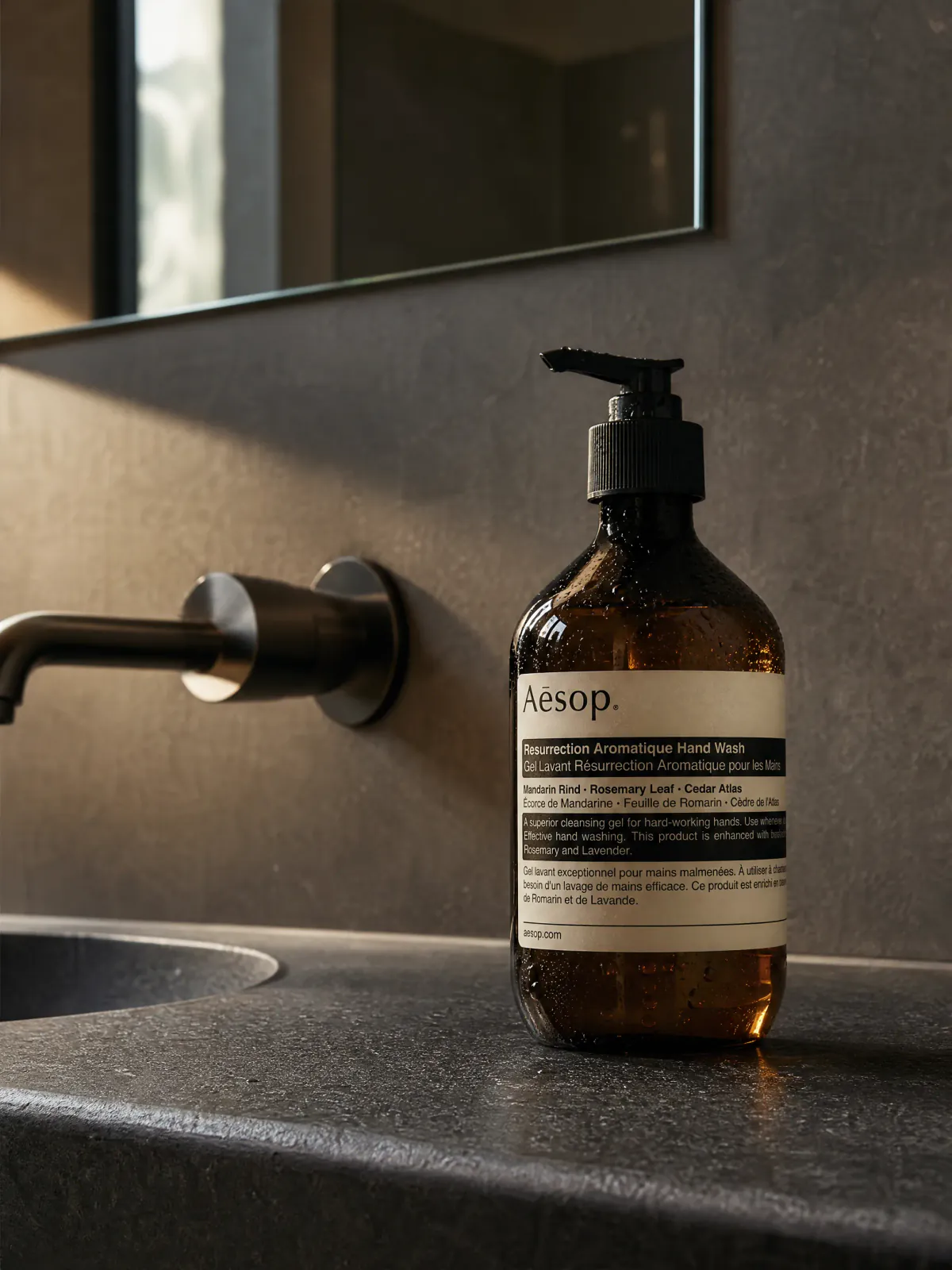
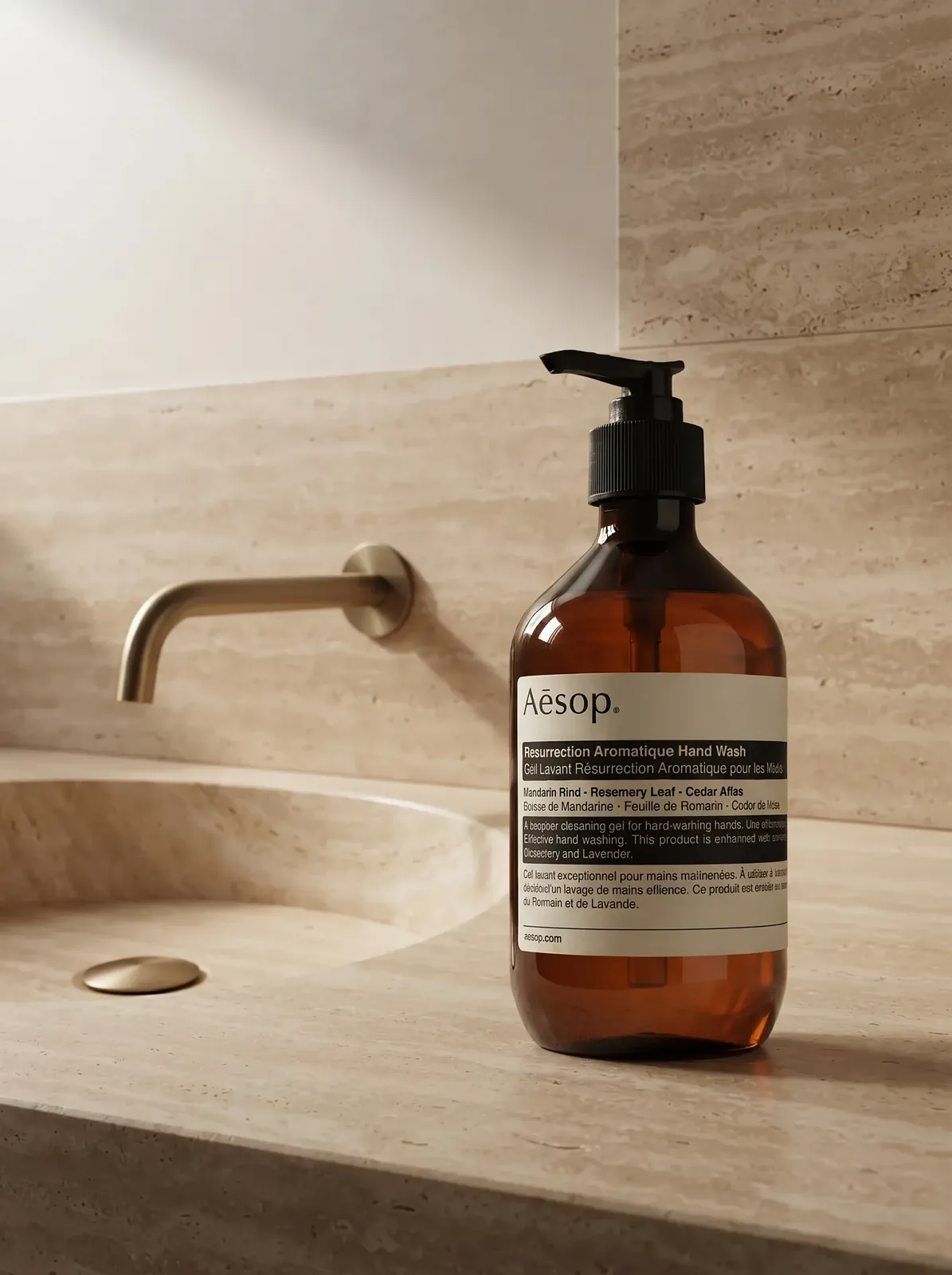
“Place the complete amber pump bottle beside a warm travertine basin. Keep the label hierarchy visible, control the glass highlights, and leave calm space around the product.”
Natural Lifestyle3:42KPNG
Review, regenerate, reuse as a reference, or download the finished result.
Plan the source image, material priority, brand mood, and final use before you create.
What is beauty product photography?
Beauty product photography presents skincare, cosmetics, fragrance, and personal-care products through the packaging, finish, color, and brand mood shoppers need to understand. A useful image does more than decorate the product—it makes a specific quality easier to judge.
What kind of product photo should I start with?
Use a sharp image that shows the complete package, correct color, label hierarchy, and the material you want to preserve. Avoid clipped pumps or caps, strong color casts, and reflections that hide the front.
How should the direction change for skincare, cosmetics, and fragrance?
For skincare, prioritize readable packaging and a clean material response. For cosmetics, name the shade, finish, and focal surface. For fragrance, describe the glass, liquid, stopper, label, and the kind of edge light that should separate them.
How do I create a makeup or cosmetic product photo?
Start with one sharp photo of the lipstick, palette, compact, or bottle with the true shade visible. Name the shade and finish you need to keep—matte, satin, shimmer, or glass—then describe the surface and light. Check the shade against the source before you use the result.
How do I describe a beauty image without writing a technical prompt?
Name the product, the shopper-facing quality that matters, the surface or setting, the light, and the amount of negative space. For example: “Keep the complete glass bottle visible, use warm edge light, and leave quiet space above the product.”
What should I review before using the finished image?
Compare the result with the source at full size. Check the package silhouette, label placement, shade, cap or pump construction, material reflections, and the crop at its intended store or campaign size.
CREATE WITH MAKEAD
Create the image your beauty product still needs
Start with one clear product photo and the packaging, finish, or mood the next image needs to prove.

 MADE WITH MAKEAD