
eBay platform guide
eBay product image requirements and photo size
Get the numbers eBay publishes for listing photos, the content its picture policy does not allow, and a short checklist for a main photo that shows the whole item clearly.
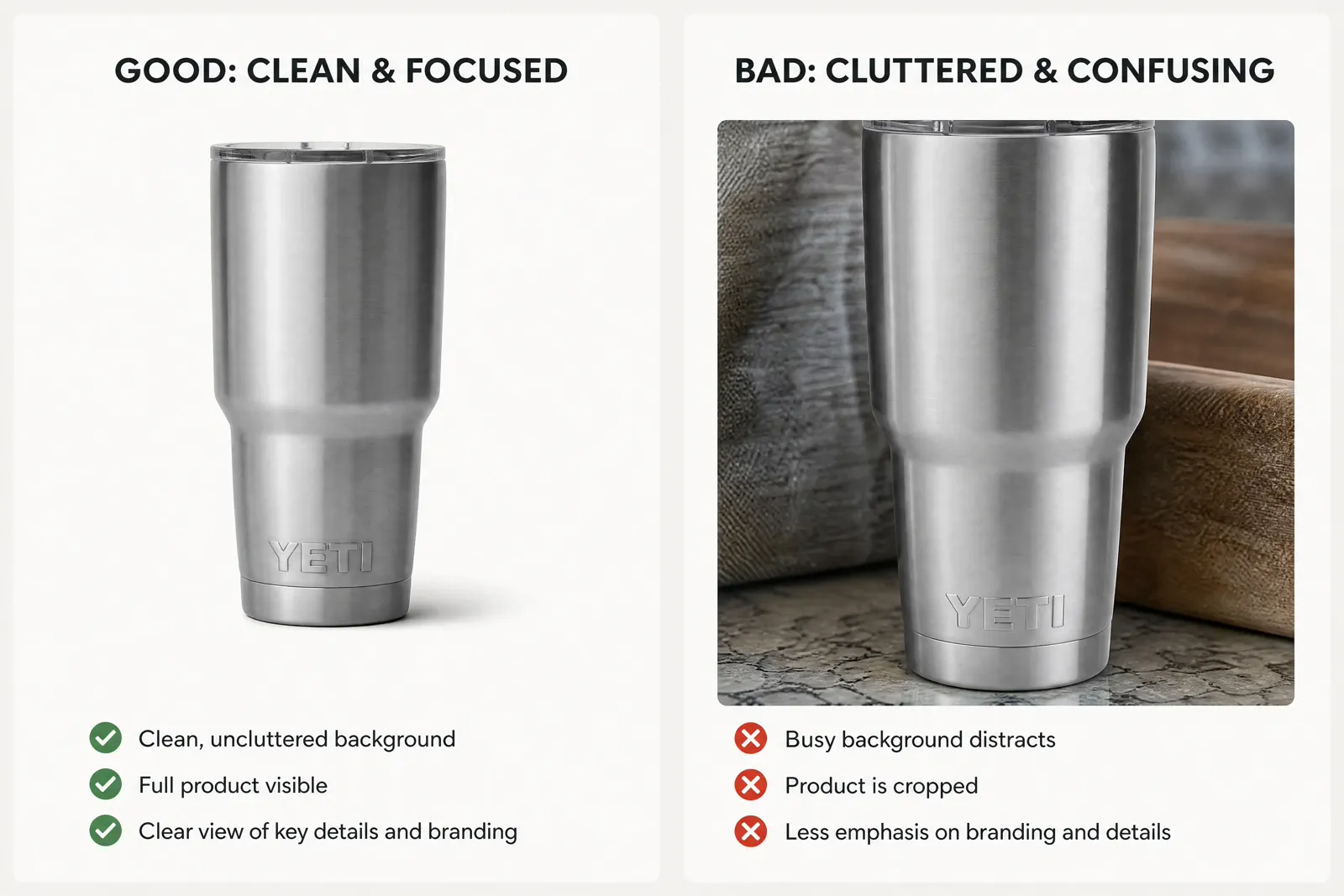
eBay asks for at least one photo per listing and accepts up to 24. The main photo appears next to your title in search results, so it should show the whole item face-on against an uncluttered, neutral background.
The values below are summarized from eBay’s own seller help and picture policy pages. eBay can change them, so open the current help page again before a large batch upload.
01 · Current values
eBay photo size, file size and format at a glance
These are the technical values eBay publishes for listing photos. Meet the minimum first, then aim for the recommended size when your source photo genuinely has that much detail.
| Field | eBay value | How to use it |
|---|---|---|
| Minimum size | 500 x 500 pixels (the picture policy states at least 500 pixels on the longest side) | Keep both sides at 500 px or more and you satisfy both wordings. Treat this as the floor, not the quality target. |
| Recommended size | About 1600 x 1600 pixels | eBay notes that small photos get blurry when enlarged. Export from a sharp, detailed source rather than stretching a small file to this size. |
| Maximum file size | 12 MB per photo | If an upload fails, check the file size before changing anything else. |
| Accepted formats | JPEG, PNG, GIF, TIFF, BMP, WEBP, HEIC or AVIF | JPEG is a safe default for photos. Convert other files to one of these formats before upload. |
| Number of photos | At least 1, up to 24 per listing | Use the extra slots for angles, details, scale and any flaws instead of near-duplicates. |
| Aspect ratio | 1:1 or 16:9 generally look best | A square main photo is the simplest choice for search results; keep the whole item away from the edges. |
Source: eBay Help “Adding pictures to your listings” and eBay “Picture policy”, checked 2 October 2026.
02 · Picture policy
What eBay does not allow in listing photos
eBay’s picture policy lists content that is not allowed, and its photo help page warns that added graphics can affect where a listing appears in search.
No added borders
Photos with added borders are not allowed. Export the plain photo without a frame.
No added text, artwork or marketing material
Keep sale badges, price callouts, slogans and logos out of the photo. Put that information in the title and description instead.
No watermarks of any type
This includes watermarks used for ownership attribution and copyright notices.
Photos must represent the item accurately
Color, shape, included parts and condition in the photo should match what the buyer receives. Placeholder images used to convey messages are not allowed.
No stock photos for used, damaged or defective items
When the item is used, photograph the actual item so buyers can see its exact condition. Catalog or stock photos cannot be used for used listings.
03 · Main photo
Make the main photo identify the item in search
The first photo you add becomes the main photo shown next to your title in search results. eBay’s photo tips focus on making it clear and complete.
Framing
Show the whole item face-on
Keep every edge of the product inside the frame. Save close-ups and angled views for the supporting photos.
Background
Use an uncluttered, neutral backdrop
White is generally best. For shiny or reflective items such as jewelry, eBay notes that a darker background may work better.
What is included
Match the photo to the offer
For a single item, do not include other variations in the main photo. For a bundle, show every item that is for sale.
Sharpness
Keep the photo sharp and evenly lit
eBay suggests a tripod or a steady surface with the shutter timer, and avoiding flash or harsh overhead light to reduce glare.
Supporting photos
Use the remaining slots for evidence
Add several angles, labels or tags, material close-ups, a scale reference and any wear or flaws the buyer should know about.
04 · Using MakeAD images
Check MakeAD output against eBay’s values before upload
MakeAD turns one product photo into new clean or lifestyle images. Here is how its output relates to the values above.
01Single-purpose tools export at 1K
Tools such as product staging and background removal export at the 1K setting, which is smaller than eBay’s suggested 1600 x 1600. Open the downloaded file, confirm its pixel dimensions meet eBay’s minimum, and do not stretch it to look like a larger photo.
02The homepage generator offers 2K and 4K settings
Higher settings use more credits. Whichever setting you choose, check the exported pixel dimensions yourself instead of assuming a file matches eBay’s recommendation.
03Keep listing photos free of ad copy
A promotional visual with a headline, badge or logo belongs in ads or social posts. For the eBay listing itself, use a version without added text, borders or watermarks.
04Generated scenes support, the real item proves
Compare every generated image with your source photo so color, shape, labels and included parts match the item you ship. For used items, keep real photos of the actual item in the listing to show its condition.
05 · Final file check
Run the eBay photo preflight
Check the exact files you are about to upload, not an earlier working version.
Size and file
Every photo is at least 500 x 500 pixels, ideally about 1600 x 1600 from a sharp source, 12 MB or smaller, and in an accepted format.
Main photo
The whole item is shown face-on against an uncluttered, neutral background, with no other variations in the frame.
Clean image
No added borders, text, logos, badges, watermarks or copyright notices.
Accurate item
Color, shape, included parts and condition match the item you will ship; used items are shown with real photos of the actual item.
Selling elsewhere too
Each marketplace sets its own rules. Re-check the same files against Amazon or Etsy requirements before reusing them there.
Compare with Amazon product image requirementsQuestions that need judgment
Frequently asked questions
These answers cover the exceptions and review tests that still depend on context.
What size should eBay photos be?
eBay asks for a minimum of 500 x 500 pixels and recommends photos of about 1600 x 1600 pixels. Each file can be up to 12 MB. A square 1:1 photo generally displays well in listings and search results.
Can I put text or a logo on my eBay photos?
No. eBay’s picture policy does not allow added borders, text, artwork, marketing material or watermarks of any type, and eBay notes that badges, logos and copyright notices can affect your listing’s placement in search results.
Which file formats does eBay accept?
eBay accepts JPEG, PNG, GIF, TIFF, BMP, WEBP, HEIC and AVIF. If a photo will not upload, check that it is one of these formats and no larger than 12 MB.
Can I use stock or catalog photos on eBay?
Not for used, damaged or defective items. eBay requires photos that accurately represent the item, so a used listing needs real photos of the actual item and its condition.
One photo, more eBay listing images
Create clean eBay listing images from one product photo
Upload one clear product photo to MakeAD to create a clean main-photo option, a lifestyle scene or a supporting view, then check the files against eBay’s values before you list.
Create my eBay listing images